Abstract
Docking and dynamics sound like two names for one idea, and they often sit side by side in the same project report. They are not the same thing at all. One gives you a quick snapshot of how a molecule might fit into a protein. The other lets you watch that pair move and breathe over time. This guide explains molecular docking vs molecular dynamics in plain English, shows where each earns its place in computational drug discovery, and walks through a real research example.
Two Tools, Two Different Questions
1. What molecular docking does
Docking places a small molecule, called the ligand, into the binding pocket of a protein and scores how well it fits. Picture trying a handful of keys in a lock and ranking them. Because it is fast, it suits big compound libraries. Molecular docking analysis then studies the best poses, checking hydrogen bonds and whether the shape truly matches the pocket. Most programs treat the protein as mostly rigid, which is the shortcut that keeps things quick. Our guide to molecular docking software and tools covers the popular options.
2. What molecular dynamics does
Molecular dynamics simulation, or MD, applies the laws of physics to every atom in the system. That includes the protein, the ligand and the surrounding water. It then moves everything forward in tiny time steps. A typical step lasts about two femtoseconds, so a 100 nanosecond run needs roughly 50 million steps. The result is a movie instead of a photograph.
The Key Differences Side by Side
1. Snapshot versus movie
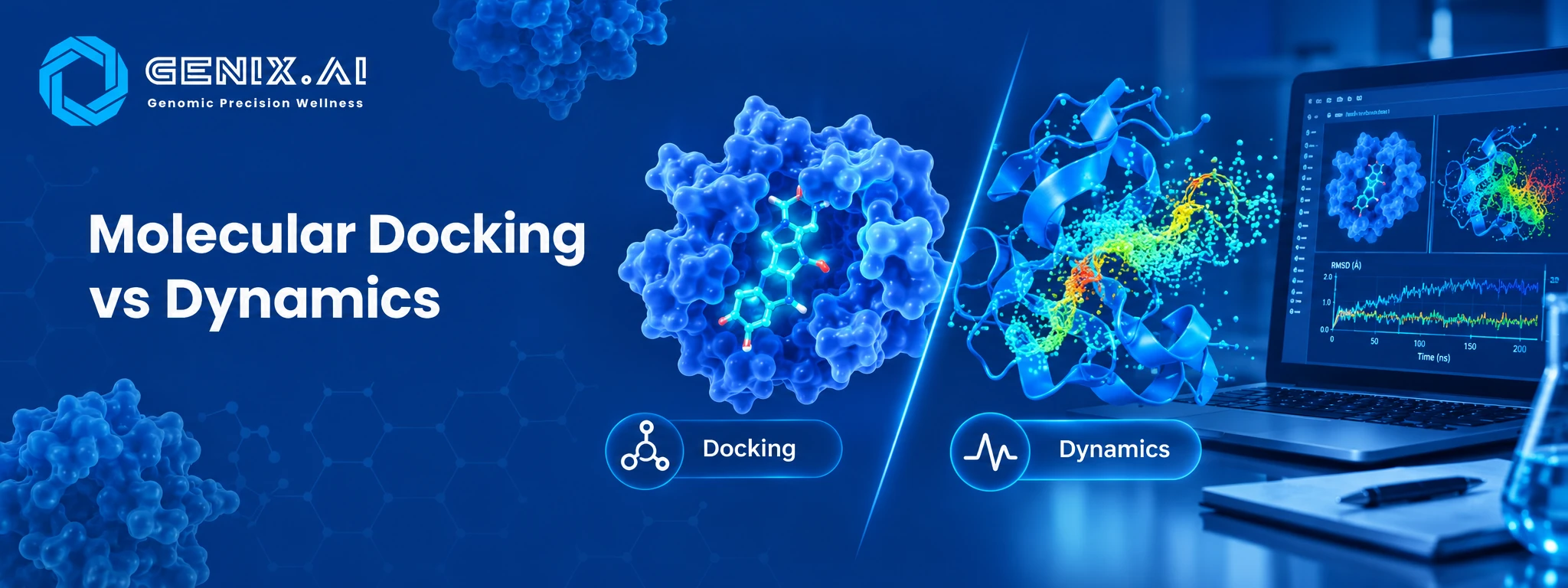
Docking asks whether a molecule fits. MD asks whether it stays. A compound can earn a lovely docking score and then wriggle out of the pocket within a few nanoseconds once the protein starts to flex. MD also includes water explicitly, and water often decides whether a binding contact survives.
2. Speed and cost
Docking is cheap per compound, which is why you can screen thousands. MD costs far more computing time, so it is saved for a short list. According to the service page, a single target docking job typically takes five to seven days, while a standard 100 nanosecond simulation takes seven to fourteen days once setup and analysis are included.
How They Work Together in Computational Drug Discovery
1. A typical workflow
Target structure → Docking and virtual screening → Pose analysis → MD simulation → Stability and binding energy analysis → ADMET and ranked reportDocking trims a huge library down to a manageable group. MD then puts those survivors under a stricter test. Each step uses a costlier method on fewer compounds, which keeps the whole project affordable. If the target has no experimental structure, a validated prediction can stand in, as we explain in our post on AlphaFold3 and protein intelligence.
2. Reading what MD tells you
Three outputs come up again and again. RMSD shows how far the ligand or protein drifts from its starting position, so a flat line suggests stability. RMSF shows which parts of the protein are floppy. Binding free energy methods such as MM-GBSA give a more physics based estimate of how tightly the ligand holds on than a docking score does. They are still approximations, but they usually add useful information.
A Case Study From Published Research
In 2011 a team at D. E. Shaw Research used long simulations on a purpose built supercomputer to watch beta blocker drugs find their way into the beta 2 adrenergic receptor. The ligands were not placed by hand. They drifted in from the surrounding water on their own. The simulations reproduced a final binding pose that agreed closely with experimental crystal structures. They also revealed a brief stop at an outer site before the drug slipped into the pocket, a detail that a static docking run cannot show. The lesson is that dynamics can explain how and why binding happens, while docking mostly tells you where a molecule might sit.
Choosing Between Them
1. When docking is enough
If you are sorting a large library and only need a ranked short list, docking is the sensible first move. It is also handy for a quick sanity check on a hypothesis. Just remember that scores are estimates. Many weak results trace back to avoidable slips, which we cover in common molecular docking mistakes.
2. When you need dynamics
Bring in MD once a few leads look promising. It helps when the protein is flexible, when water plays a role or when you need to know if a pose survives beyond a lucky snapshot. Think of docking as the audition and MD as the screen test. For another clear comparison in this style, see our explainer on computational biology vs bioinformatics.
Conclusion
Neither method replaces the other, and neither replaces the lab. Docking narrows the field fast, and dynamics tests whether the survivors really hold together. Genix.ai offers both as services. The team can start from a protein sequence, predict and validate the structure, run docking and virtual screening, and follow up with GROMACS or NAMD simulations of 50 to 500 nanoseconds. Reports include RMSD, RMSF and binding free energy analysis, and an NDA is signed before any data is shared. Explore the molecular docking and MD service, the wider BioCompute offering or the page for pharma and biotech teams to see how a project might look.
FAQ's
1. What is the main difference between molecular docking and molecular dynamics?
Docking predicts how a molecule fits into a protein, while dynamics simulates how the pair moves over time.
2. Which is faster, docking or MD?
Docking is much faster per compound, so it is used first on large libraries.
3. Can molecular dynamics replace molecular docking?
No, MD is too slow to screen big libraries and works best on a short list.
4. Why run MD after docking?
It checks whether a docked molecule stays stable in the pocket once everything is allowed to move.
5. Do these methods prove a compound will work as a drug?
No, they are predictions and lab experiments still have to confirm the result.